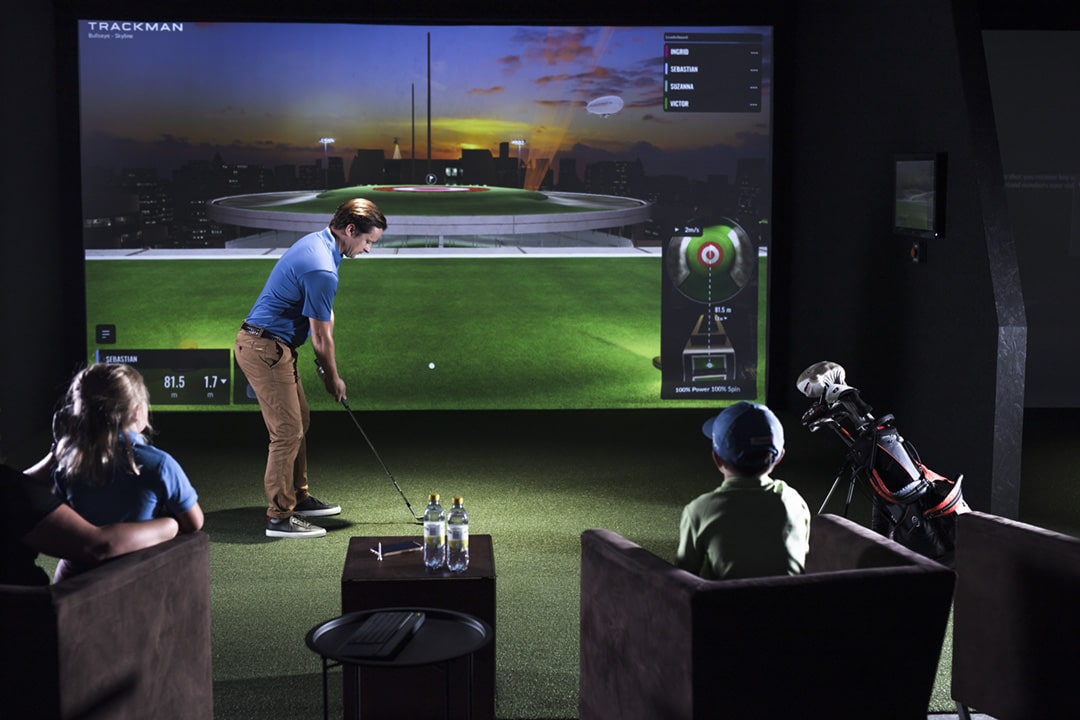
TrackMan Setup Guide: From Delivery to First Round
TrackMan is the most capable launch monitor we install — and the one with the most room for error if you rush the setup. Here's exactly how we do it.
Space requirements for TrackMan 4 and IO
Before you think about placement or calibration, the room has to be right. TrackMan 4 and IO are radar-based — the unit sits behind the player, pointing downrange, and the radar beam needs unobstructed flight path from the clubhead through ball impact and out toward the screen.
Minimum room requirements for radar:
Height: 2.9m (9ft 6in) is workable; 3m (10ft) recommended. Height here is about swing clearance, not radar clearance.
Width: 4.5m for a centred setup; 3.5m minimum off-centre. The radar fires forward — width affects your swing, not the reading.
Length: This is where radar differs from overhead systems. TrackMan needs at least 5.5m from hitting point to screen to track the ball fully. Shorter rooms cause premature screen impact before the ball data is complete, which produces inaccurate readings. If your room is tight on length, this is the question to ask before choosing TrackMan over a side-mounted system like the Uneekor EYE XO.
Ideal room: 3m H × 5m W × 6.5m L. That 6.5m gives you the recommended ball flight distance plus comfortable swing space behind.
Related: Room Design & Dimensions
TrackMan placement: the exact numbers
TrackMan is positioned behind and to the side of the player, not behind the ball like a range monitor. The recommended placement is:
2.0m–3.0m behind the hitting point (along the target line)
1.5m–2.5m to the right of the target line for right-handed players (left for left-handers)
Height: 0.3m–0.5m above the ground — on a dedicated stand or a low table
The unit should be pointing toward the impact zone, not the screen. TrackMan's own setup app (covered below) will walk you through alignment with live visual feedback — don't skip this step.
A few things that cause placement problems on real installs:
Too close to the hitting point. Less than 1.5m behind and the radar can pick up club data but miss early ball data. Stay within the recommended 2–3m range.
Obstructions between unit and impact zone. Netting, columns, a bag of clubs — anything between the unit and the hitting area degrades accuracy. Clear the sightline.
Angled room. If the room isn't perfectly rectangular (a converted garage with a sloped wall, for example), check the radar has a clean forward line before fixing the position permanently.
Calibration: what it does and why it matters
TrackMan calibration aligns the unit's reference frame with the physical setup of your room — hitting direction, screen distance and surface height. Skipping or rushing this is the single most common cause of inaccurate data on customer installs.
Steps for a correct calibration:
1. Launch the TrackMan Performance Studio software on your PC (or the TrackMan app for IO users). Go to Settings → Monitor Setup. 2. Set the ball position — this is the distance from the hitting mat to the face of the screen. Measure it accurately; rounding to the nearest metre introduces consistent carry errors. 3. Set the height of the hitting surface — the mat level relative to the unit. Particularly important on raised false floors (common in full enclosure installs). 4. Run the alignment wizard. TrackMan will prompt you to swing a few times without a ball to establish the plane of the hitting area. Follow the prompts precisely; the wizard rejects noisy readings and asks you to re-do them. 5. Hit five to ten shots. Compare carry distances against your known baseline. A 7-iron that you know carries 150m in real conditions should carry 148–152m in the simulation. If it's off by more than 5m, revisit the screen distance measurement first.
Calibration should be re-checked if you move the unit, change the hitting mat height or reinstall the software.
Screen and projector: getting the picture right
TrackMan Virtual Golf and the Performance Studio software both output standard HDMI at up to 4K. The projector needs to be matched to the room.
Brightness. In a room with any ambient light — windows, ceiling lights — you need a minimum of 4,000 lumens. We typically install Panasonic laser projectors at ~6,000 lumens for rooms that aren't blacked out, which gives clean, vivid image even with the lights on. Below 3,000 lumens in an uncontrolled room, the image washes out badly and course detail is lost.
Throw ratio and distance. The projector needs to be ceiling-mounted or on a high rear shelf, at a distance that fills the screen without overflowing it. Most simulator screens run 3m–5m wide. For a standard throw projector, that typically means 3–5m of throw distance. Short-throw units can work from 1–2m back and are useful in rooms where ceiling mounting isn't straightforward. TrackMan's support documentation lists compatible projector specs — check your chosen model against it before purchasing.
Screen material. Impact screens for simulators are not standard projection screens — they need to absorb ball impact at driver speed (upwards of 130mph / 210kph club speed) while still projecting a sharp image. We use Par2Pro SQ material on all our installs: designed for high impact, high image quality and longevity. Standard projection screens will not survive contact with golf balls.
Related: Screens & Enclosures Overview
TrackMan Performance Studio and Virtual Golf
TrackMan runs two distinct software environments:
TrackMan Performance Studio — the data platform. Shot tracking, club analysis, session history, the 40+ parameters (club speed, attack angle, spin loft, smash factor etc.). Used for coaching and analysis.
TrackMan Virtual Golf — the simulation environment. Course play, practice ranges, games. The course library includes Royal County Down, Lahinch, Royal Portrush, Pebble Beach and 150+ others worldwide.
Both run on the same PC; the system connects to TrackMan via a local Wi-Fi link (the TrackMan unit creates its own network). The PC spec that TrackMan recommends is meaningful — underpowered hardware causes lag between shot and result, which quickly becomes frustrating. Current minimum recommendation is an Intel i7 (or AMD equivalent), 16GB RAM, dedicated GPU with 6GB VRAM, SSD storage. We always spec above the minimum.
First-round checklist:
Calibration complete and verified (see above)
Screen distance entered accurately in software
Wi-Fi connection to TrackMan unit confirmed (green indicator in Performance Studio)
PC display output set to match projector resolution
Test shot: data appears within 1–2 seconds of impact
If the data is slow, the Wi-Fi link is usually the cause — interference from other devices or too much distance between PC and unit. Move the PC closer to the TrackMan or use a 5GHz network.
What goes wrong on installs — and how to avoid it
Having set up a fair number of these, here are the mistakes we see most often:
Room too short for radar. Customers buy TrackMan for a room that's 5m in length. The ball hits the screen before TrackMan has finished tracking it. The fix is either to move to a side-mounted monitor or extend the room — neither is cheap after the fact. Measure first.
Calibration skipped or estimated. The screen distance is entered as 3m when it's actually 3.4m. Every carry figure from that point is systematically short. Measure with a tape; enter the actual number.
Projector brightness too low. Customer sources a cheap 2,500-lumen projector to save money. Fine in a blacked-out room; useless with any ambient light. If you want to use the room with lights on, budget properly for the projector.
Unit moved between sessions. TrackMan is placed on a temporary table and shifted slightly every time someone sets up. Small changes in position or angle produce inconsistent data. Mount the unit on a fixed stand or build a designated shelf at the correct height and position.
PC on Wi-Fi instead of dedicated network. Home Wi-Fi routers share bandwidth. During a session, a 4K stream or a software update on the same network can cause data loss. Either use the TrackMan unit's own network exclusively, or run a dedicated router for the simulator room.
Getting setup right the first time saves a lot of frustration. That's what the €50 consultation is for — we work through your room, your hardware and your network before you commit to anything. Call 01 582 6935 if you'd rather talk it through first.
Setting up TrackMan in your home?
Book a €50 consultation — redeemable against purchase — and we'll work through your room layout, placement and calibration before you install anything. Call 01 582 6935 or get in touch online.
Or call us directly: 01 582 6935